


1.1.1.1 + WARP: Safer Internet
4.116.73K Reviews
App Specs
- Version
- 6.38.9
- Updated On
- License
- Free
- Downloads
- 100,000,000+
- Developer
- Cloudflare, Inc.
- Categories
- Tools
- Platform
- Android, iOS
Screenshots
 Analysis by AppCompare
I often notice the same small internet problem in ordinary places: a public connection is easy to join, but I have to wonder how much I trust it, while switching settings by hand is the last thing I want to do. 1.1.1.1 + WARP: Safer Internet is aimed at taking some of that fiddly work out of the way. It is a free tools app from Cloudflare, Inc., and its appeal is less about giving me a shelf of controls than letting me turn on a layer of protection without becoming my own network administrator.
That simplicity is useful, but it also calls for realistic expectations. WARP encrypts traffic and routes it through Cloudflare’s network; it is not a promise of anonymity, and it is not a tool for pretending to be in another country. I see it as a practical option for improving the connection experience and adding protection on networks I do not manage, not as a replacement for careful account security or a full-featured privacy VPN.
Where the everyday hassle shows up
Think of opening a laptop or phone at a café, connecting to Wi-Fi, then checking a message, map, or work page before heading out. Most of the time I want the connection to work and want to get on with my day. WARP’s one-switch approach suits that moment: it can reduce the effort involved in securing the connection, rather than asking me to choose servers or tune a long list of networking options.
It can also be handy on a home connection when a site feels slow to resolve or when I want an extra layer between my device and the local network. The distinction matters: a slow page can have many causes, and a DNS change or encrypted route will not repair a weak signal, an overloaded service, or a problem at the website itself. I would try WARP as a simple first step, not assume it can fix every connection complaint.
Getting Started with 1.1.1.1 + WARP
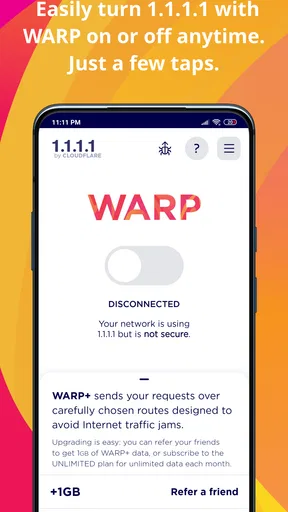
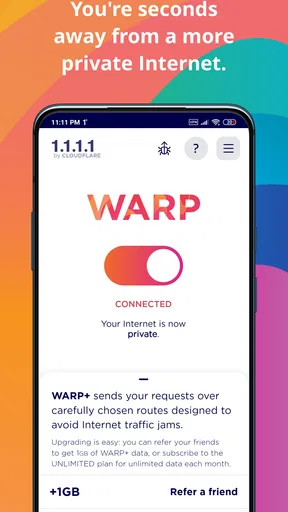
First things first, downloading 1.1.1.1 + WARP is a breeze. Available on both Android and iOS, it’s just a quick tap away in the app store. Once installed, the setup is super straightforward. You fire it up, and with a simple toggle, you’re in.
The app promises to make your internet both faster and more secure. How does it do that? By using Cloudflare’s DNS service and the WARP VPN. If all this tech talk is making your head spin, don’t worry — you don’t need an engineering degree to use it.
Features You’ll Love
Let’s dive into what makes this app a must-have:
Worth Reading Before You Choose

Flipboard Shows What News Apps Must Do Beyond the Feed

Switching to Android Auto Means Rethinking Your Driving Routine

Google Calendar Makes a Crowded Week Easier to Manage

Ludo King Makes the Most of the Minutes Between Plans

Baby Panda World Brings Quick Play to Modern Phones, but Its Game Library Feels Busy

ESPN’s Live Game View Makes Following Close Games Easier
- Privacy First: Your data should be your business, and this app takes that seriously. With WARP, your traffic is encrypted, ensuring your online activities stay private.
- Speed Boost: It’s not just about safety; it’s about speed too. The app optimizes your connection, potentially making things load faster. Who doesn’t want their cat videos to stream without a hitch?
- Easy Peasy: No complicated setups or tech wizardry required. It’s as simple as flipping a switch.
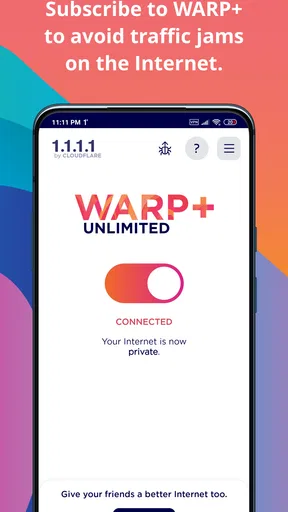
- Free and Premium Options: The free version is great for basic needs, but if you’re feeling fancy and want more features or a faster connection, there’s the WARP+ option using Cloudflare’s Argo Smart Routing.
The User Experience
Using the app feels like a breath of fresh air. The interface is clean and intuitive — something even your grandma could navigate. A big blue button greets you, and that’s pretty much all you need to know. Tap it, and bam! You’re surfing the web more securely.
Notifications are minimal, which is a relief. No one wants an app that’s constantly pinging them. 1.1.1.1 + WARP is quietly doing its thing in the background, letting you focus on what's important — like deciding which meme to share next.
Making it fit a real routine
A useful way to judge WARP is to try it in the situations where you actually feel uncertain, rather than leaving it on and expecting a dramatic change everywhere. For example, if I am waiting for a train and need to check a booking on station Wi-Fi, I can connect, switch WARP on, complete the task, and carry on. The benefit is that I do not have to understand DNS settings or pick a VPN endpoint before doing something routine.
For a more considered setup, I would test a few familiar tasks both with WARP enabled and disabled: opening a news site, signing in to a service I use, and loading a page that has been slow before. That gives me a useful baseline. If one app stops behaving normally, I can switch WARP off briefly to see whether the route is involved, then turn it back on afterward. This simple comparison is more informative than judging it from one speed test or one unusually good connection.
It is also worth thinking about the difference between the DNS option and WARP. Someone who only wants Cloudflare’s DNS handling may prefer the lighter choice, while WARP adds an encrypted route for traffic. I would not treat the two modes as interchangeable: the right setting depends on whether I want a DNS change alone or the broader WARP connection. Starting with the default, uncomplicated option and changing it only to solve a specific need keeps the app easy to manage.
What it does—and what it is not for
WARP’s strongest case is everyday connection protection with very little setup. It is not the usual location-switching VPN experience. If I need to access a service as though I were in a particular country, I would choose a VPN that clearly offers location selection for that purpose. WARP is better judged by its approach to DNS, encryption, and routing than by whether it can unlock a region-specific catalogue.
That difference is especially important for people who use a VPN to make their apparent location part of the task. WARP is not a substitute for a service designed around choosing a country or server. Nor does encryption make a phishing page trustworthy, stop me from sharing information with a site, or protect an account with a reused password. I still need to check addresses, use strong sign-in practices, and make sensible choices about what I send online.
There can be trade-offs with any tool that changes how traffic is routed. A work network, a school connection, or a particular app may behave differently when WARP is active; if access breaks, the sensible first check is to toggle it off and compare. Some services may also be sensitive to VPN-style routing. I would not assume that a problem means the phone or the service is broken until I have tested the connection both ways.
Useful checks before relying on it
One practical tip is to learn where the on/off control is before you need it. That sounds obvious, but it makes troubleshooting much less frustrating when a login page or local network resource fails to load. I would also avoid changing several network settings at once: keep a note of what was changed, test one option, and revert it if the result is worse. The app’s simplicity is an advantage, and unnecessary tinkering can make a simple setup harder to understand.
Another point is to think about battery and connectivity in the context of your own routine. A service that maintains a protected connection may not suit every person’s preference for how their device handles network access. If I notice an unexpected connection issue, I would first compare behavior with WARP switched off rather than immediately uninstalling the app. That quick test helps separate a routing compatibility issue from a broader Wi-Fi or mobile-data problem.
For families, the Everyone content rating makes the app broadly suitable from an age-rating perspective, but that does not mean it replaces parental controls or online-safety conversations. For someone setting up a relative’s phone, I would describe it simply as a connection tool, show them the toggle, and explain that it cannot decide whether a website or message is safe. That is a more useful expectation than presenting it as an all-purpose shield.
The Tech Behind the Magic
For those curious about the wizardry under the hood, here’s the scoop. The app uses Cloudflare’s global network to ensure quick DNS queries, which is geek speak for "it makes things faster." The VPN component, WARP, adds an extra layer of security by encrypting your traffic. It's like having a secret tunnel through the internet — only without the dirt and darkness.
What’s particularly cool is that WARP doesn’t aim to hide your IP like traditional VPNs. Instead, it focuses on improving performance and security. So, if you’re out to dodge geo-restrictions, this might not be your go-to app. But if you want a faster, safer browsing experience, you’re in the right place.
How it compares with familiar alternatives
Compared with leaving a phone on its standard network settings, WARP is more convenient than manually configuring a DNS service and offers an encrypted route when its WARP mode is active. Compared with a conventional commercial VPN, it asks less of me but gives me less control over location choice. That makes it a good fit for someone who wants a straightforward connection utility, and a weaker fit for someone who wants a deliberate server-by-server VPN setup.
It also differs from browser privacy tools. A browser’s private mode mainly affects what is retained in that browser on the device; it does not provide the same network-routing function. WARP works at the connection level rather than simply changing a browser window’s history behavior. I would use the right tool for the job: private browsing for local session cleanup, WARP for its connection protections, and a location-selecting VPN when location is the actual requirement.
Cloudflare’s app has a 4.1 average from around 1.3 million ratings, and it has been installed over 100 million times. Those figures suggest it is a widely used utility, but they do not tell me whether it will suit a particular workplace network, phone setup, or streaming service. I would treat popularity as reassurance that it is familiar to many users, not as proof that every connection will improve.
The User Experience
Using the app feels like a breath of fresh air. The interface is clean and intuitive — something even your grandma could navigate. A big blue button greets you, and that’s pretty much all you need to know. Tap it, and bam! You’re surfing the web more securely.
Notifications are minimal, which is a relief. No one wants an app that’s constantly pinging them. 1.1.1.1 + WARP is quietly doing its thing in the background, letting you focus on what's important — like deciding which meme to share next.
Cost, versions, and who should choose it
The app is free to download, and its current version is 6.38.7. Optional in-app purchases are listed at $4.99 per item, so I would start with the free experience and only consider paying if I have a clear reason to try the paid option. The app first appeared on Nov 10, 2018, and it runs on Android 7.0 or later. It is a tools app, not a general-purpose VPN control panel, and that distinction helps set expectations before installing it.
For a frequent café or hotel Wi-Fi user who wants a quick, low-effort way to add connection protection, I think it is an appealing choice. It can also suit someone who would rather not manually configure DNS or learn networking terminology just to try a different connection setup. I would steer away from it if my main goal were country selection, if a required work app rejects routed connections, or if I need a VPN with detailed server controls.
Is It Worth It?
In a word: absolutely. The free version offers plenty of bang for no bucks, making it a fantastic option for anyone looking to beef up their internet security without breaking the bank. The upgrade to WARP+ is worth considering if you’re after that extra speed boost and have a few dollars to spare.
There’s something reassuring about knowing you’ve got a little extra protection while browsing, and 1.1.1.1 + WARP delivers just that. It’s not just an app; it’s peace of mind.
Whether you’re a casual browser or someone who lives online, this app has something to offer. Give it a whirl and see for yourself. You might just wonder how you ever surfed the web without it!
My practical verdict
For me, the deciding question is not whether WARP makes every page faster; no connection tool can promise that across every network. It is whether the small amount of setup and upkeep is worth having an easy way to change how my traffic is handled. If I want a straightforward tool for routine browsing, especially on networks I do not control, I would give it a try and keep the toggle handy for the occasional compatibility check.
If I need anonymity, a chosen country, or fine-grained VPN controls, I would look elsewhere rather than trying to make this app do a job it was not designed for. But for someone who wants a low-friction connection option and understands that encryption is only one part of online safety, it is an easy recommendation. I would install it, test it on the networks I use most, and keep it only if it makes those everyday connections feel simpler and more dependable.
Pros
- Enhances online privacy effectively.
- Simple and user-friendly interface.
- Improves browsing speed noticeably.
- Free to use with no hidden costs.
- Minimal impact on device performance.
Cons
- Limited customization options available.
- May not work with certain apps.
- Occasional connectivity drops reported.
- Some users find setup confusing.
- Not all features available in free version.
FAQs for 1.1.1.1 + WARP: Safer Internet
What is 1.1.1.1 + WARP and how does it work?
1.1.1.1 + WARP is a free app developed by Cloudflare that enhances your internet experience by encrypting your data and securely routing your traffic through their servers. It acts as a VPN, protecting your privacy and speeding up your connection. By using 1.1.1.1 + WARP, users can enjoy a safer and faster internet experience.
Is 1.1.1.1 + WARP free to use?
Yes, 1.1.1.1 + WARP is free to download and use. While the basic version of the app is free, there is a premium version called WARP+ that offers additional features and faster speeds. WARP+ is available through a subscription model, providing enhanced performance for users who require more from their internet connection.
How does 1.1.1.1 + WARP improve my internet security?
1.1.1.1 + WARP improves your internet security by encrypting your internet traffic, making it difficult for hackers and third parties to intercept your data. This encryption ensures that your online activities are private and secure, protecting sensitive information like passwords and personal details from potential threats.
Will 1.1.1.1 + WARP slow down my internet connection?
In most cases, 1.1.1.1 + WARP can actually improve your internet speed by optimizing your connection path and reducing latency. However, results may vary depending on your location and network conditions. Some users may experience slight slowdowns if they are far from Cloudflare's servers, but the app is designed to enhance speed overall.
Is 1.1.1.1 + WARP compatible with all devices?
1.1.1.1 + WARP is compatible with both Android and iOS devices, making it accessible to a wide range of users. The app is regularly updated to support the latest operating systems and devices, ensuring a seamless experience across various platforms. It's advisable to check the app store on your device to ensure compatibility.


